Tap to interact · Welcome → Home → Session · AI Feedback · Training
Designing an AI coaching system for Climbr
A concept iOS app exploring AI-powered coaching for skill-based sports, from research through high-fidelity prototype
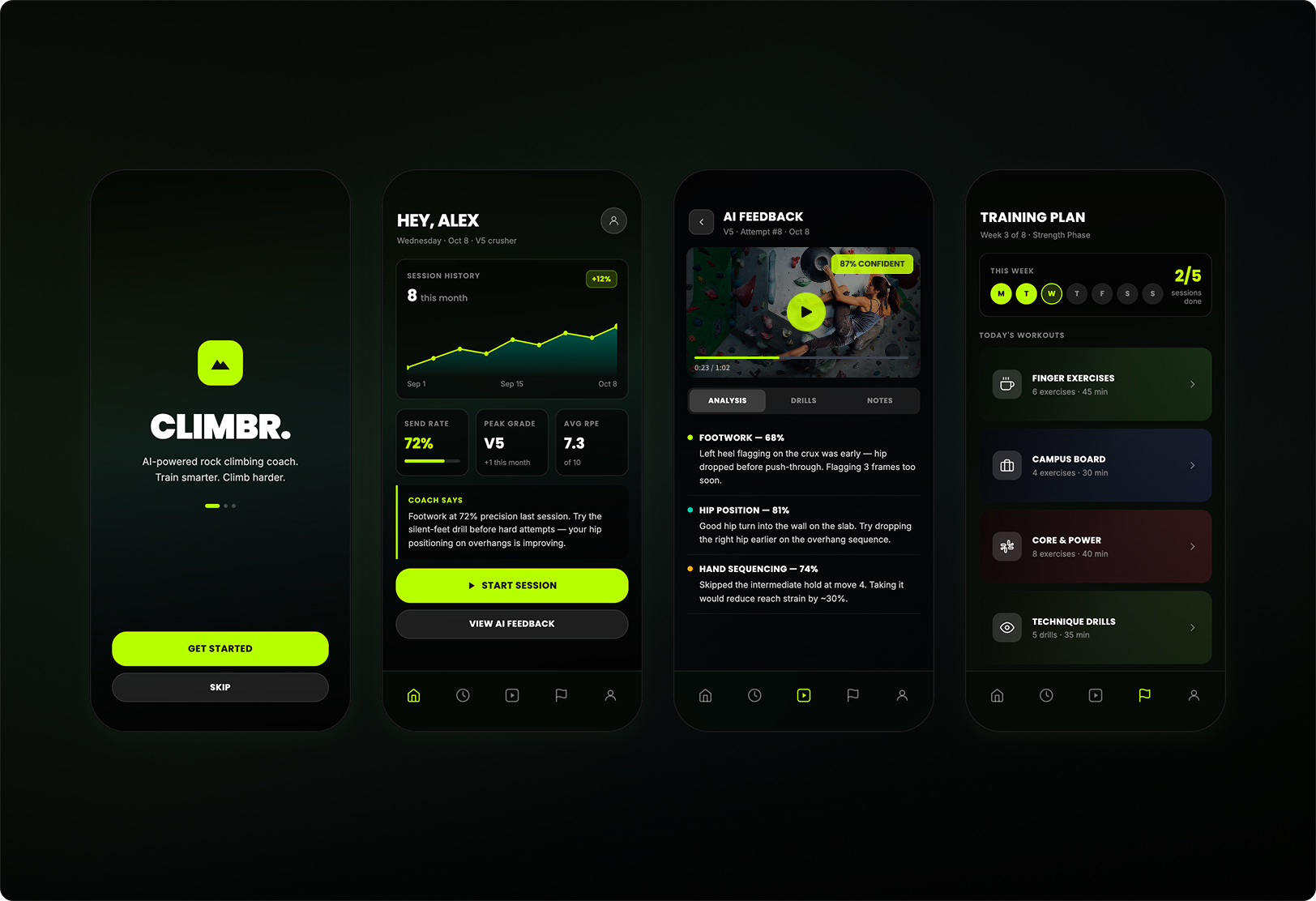
A self-directed concept project built to full prototype fidelity in 2025. Solo designer on all five core screens: onboarding, home dashboard, session logging, AI video feedback, and training plans. The goal was to explore what AI coaching could feel like in a skill-based sport where progress is nonlinear and feedback is usually just your own instinct. Built in Figma with a React prototype, using climbing as the domain because I know it well enough to spot when something rings false.
This is a personal concept project built to full prototype fidelity. I designed it to explore AI-assisted coaching in a skill-based sport I care about, and to push my thinking beyond SaaS product contexts. The prototype covers all five core screens: onboarding, home dashboard, session logging, AI video feedback, and training plans.
Most climbing apps are simple logbooks or content libraries. They don't connect session data, movement feedback, and structured improvement in a way that feels actionable over time. Climbers improve fast early on, then plateau. Without a system that links what happened in a session to what to work on next, that gap stays wide.
The hardest question was not how to make an AI coach
It was how to design AI-assisted feedback that feels useful without pretending to be more certain than it is. That question shaped every decision: explainability, user control, and feedback that invites review rather than demanding trust.
Six workflows, four principles
Chat-first felt modern but created ambiguity and no clear sense of progression. Treating video feedback as the core differentiator grounds the AI in something real rather than something generated.
A deep journaling system looked good on paper but created a friction wall before users saw any value. Structured fields, smart defaults, and optional depth at every step. Consistent data beats complete data.
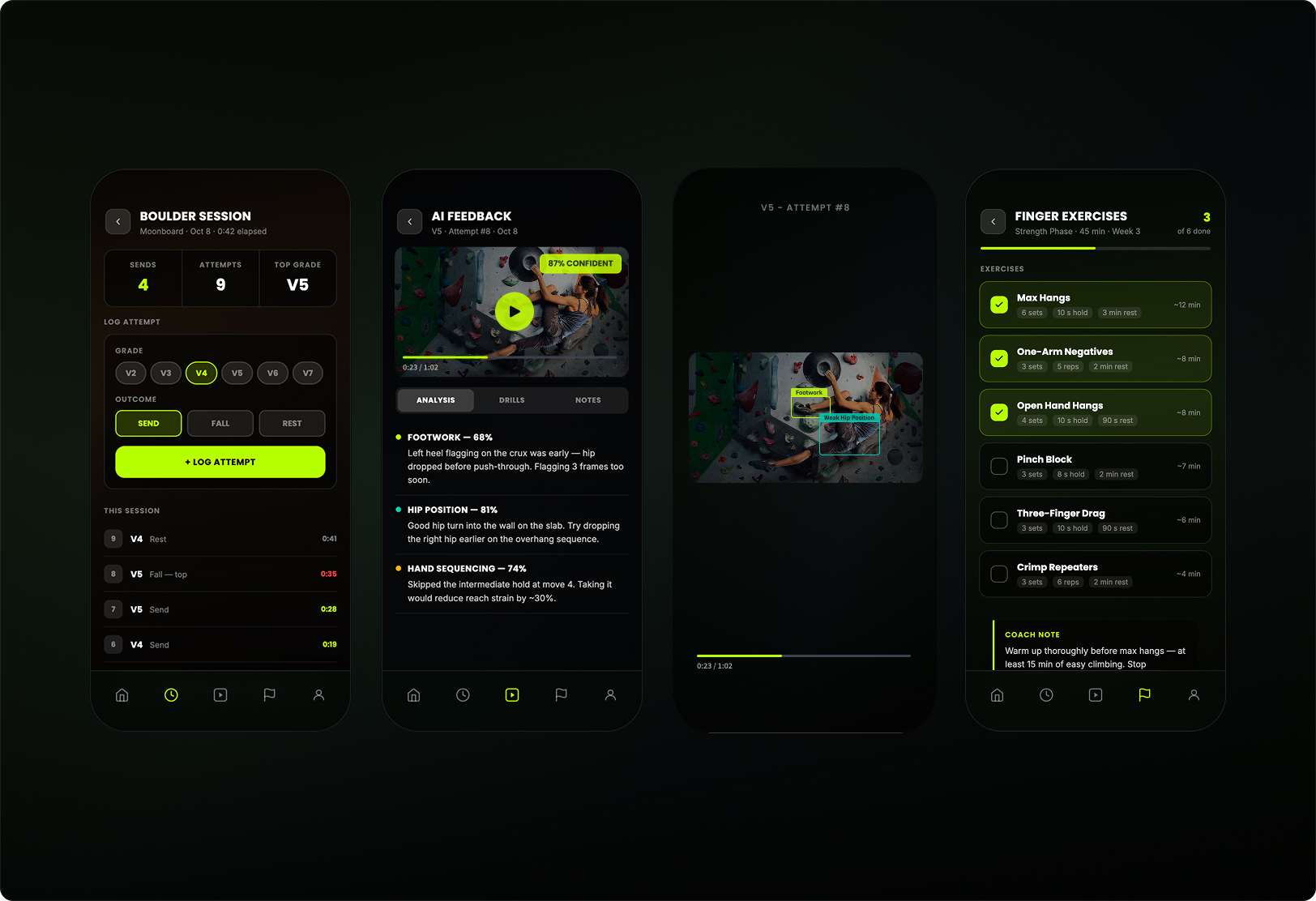
Climbers sense quickly when AI advice is disconnected from their actual movement. Feedback is framed as something to review and question, with confidence cues and explainability built into the UI.
A fully automated plan-builder felt efficient in demos but weakened trust in practice. Every recommendation is reviewable, swappable, or dismissable. The product surfaces the plan. The climber decides.
What I tried and changed
Chat-first coaching
Iteration 1, abandoned. Felt modern but created ambiguity in the core workflow and gave no clear sense of progression. Moved toward structured workflows with saved insights and artifacts.
Heavy logging flow
Iteration 2, simplified. Personalization potential was high, but the product felt like work before value was clear. Deeper inputs became optional throughout rather than required upfront.
Metrics-heavy dashboard
Iteration 3, reframed. Looked impressive but felt sterile and hard to interpret. Shifted toward a view that balances trends, coaching insights, and progress framing alongside the numbers.
Automated plan-builder
Iteration 4, redesigned. Efficient in demos but weakened trust in practice. Redesigned to surface suggestions users can review, swap, or reject. The climber owns the decision.